
Features
Everything between the booking and the call time.
CrewSheet.Pro brings crew, locations and schedules together in one place, so every callsheet is built in minutes and reaches your crew on time.
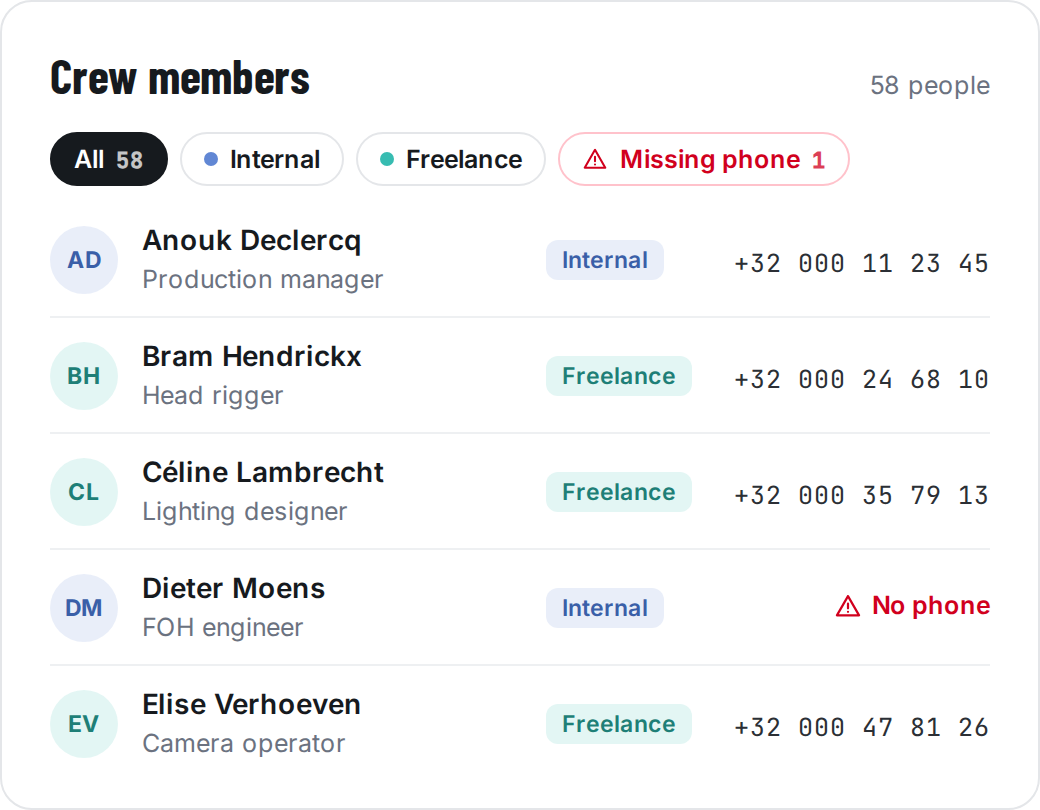
One crew pool for every production
Add freelancers, staff, vehicles and locations once. Every project and every callsheet draws from the same pool, so nobody retypes a phone number again.
Roles, departments, phone and email for every crew member
Import your crew straight from Rentman
Producer Plan
Business Plan
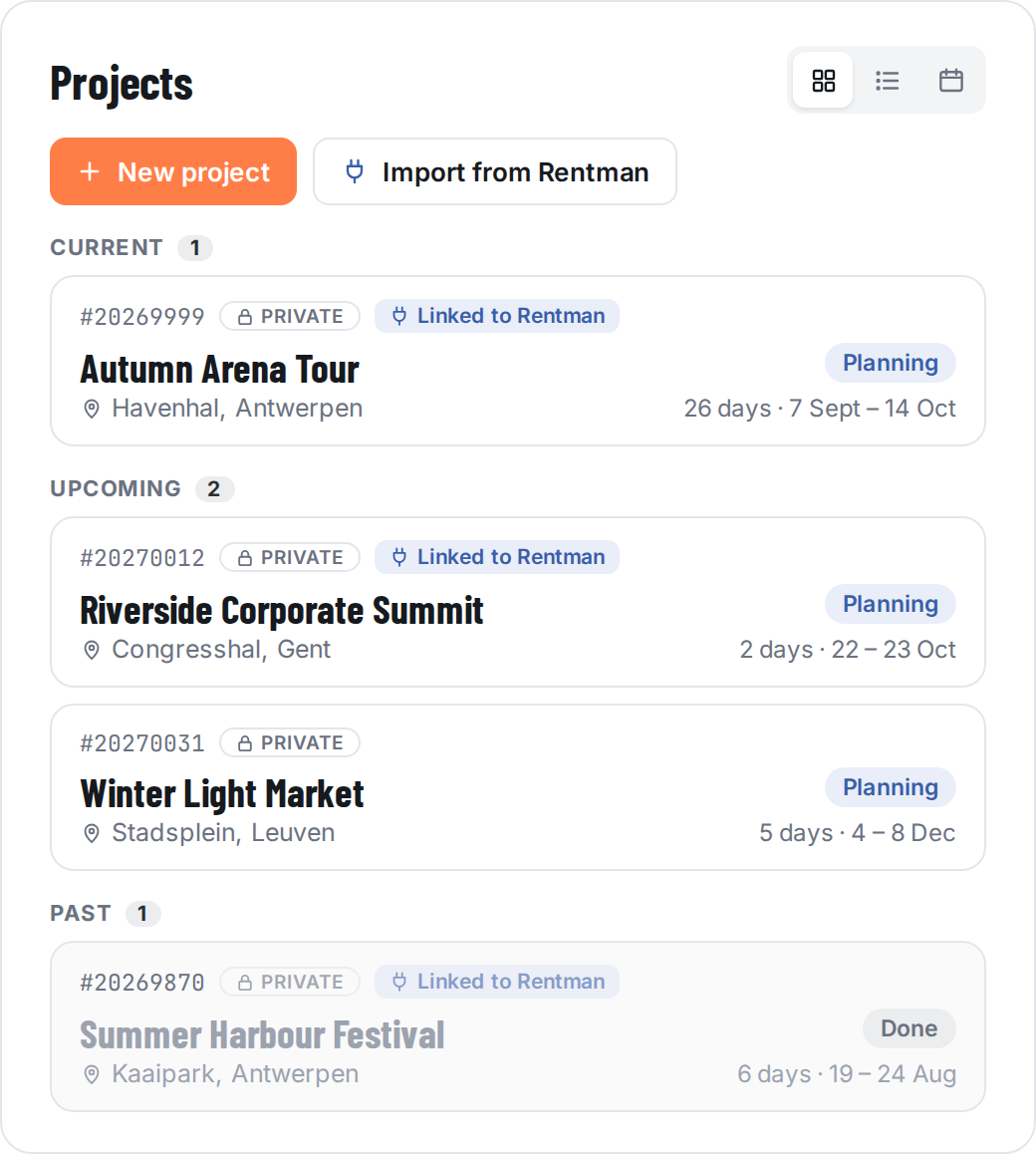
All your productions, sorted for you
Current, upcoming and past projects each get their own row, so you always start with what’s happening now. Finished projects step back without disappearing.
View your projects as cards, a list or a calendar, whichever suits you
Start a new project from scratch,
Or import one from Rentman, with all its data
Producer Plan
Business Plan
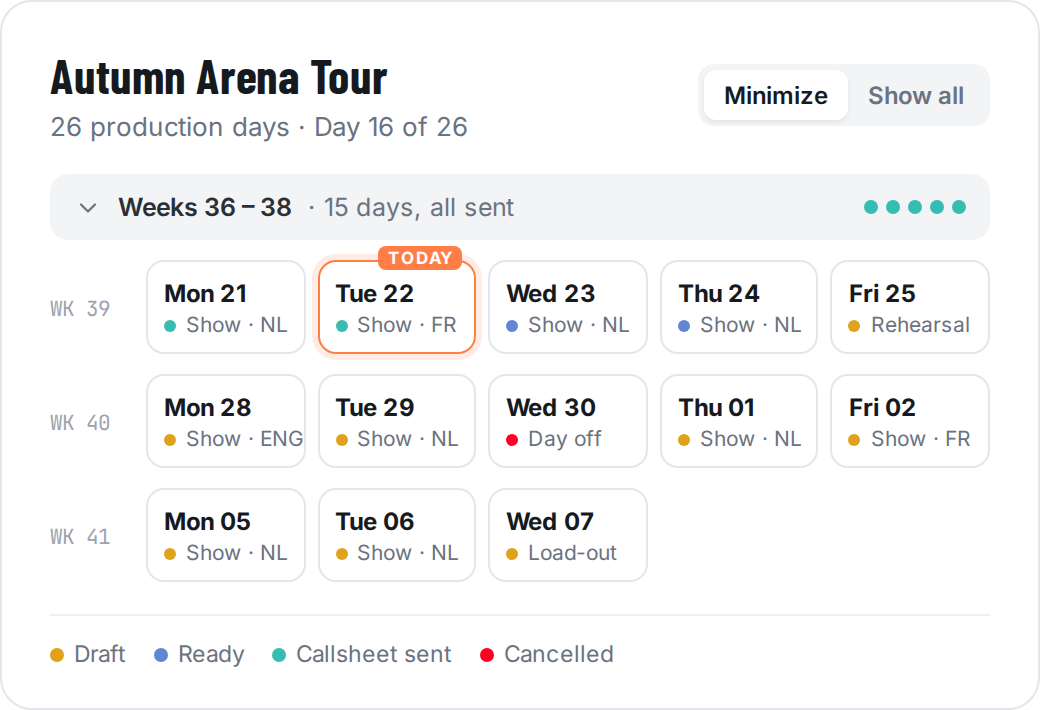
Never wonder which callsheet went out
On a long run it’s easy to lose track: was Thursday’s callsheet sent? Is Friday ready? CrewSheet shows the answer on every production day, so you can see in one glance what’s done and what still needs you.
Spot the days that still need work before your crew does
Stay on top of a 26-day run as easily as a single show
Pick up where you left off: today is always front and centre
No more “what time do I need to be there?”
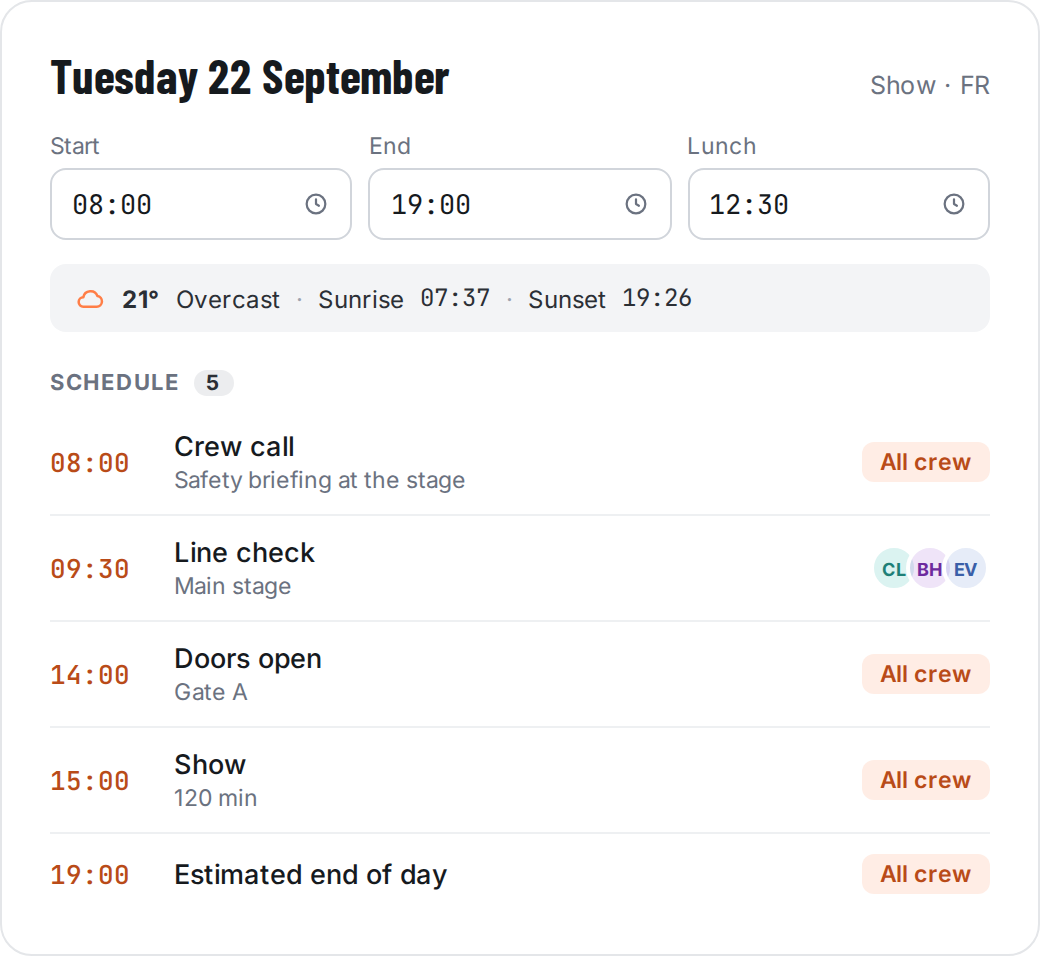
Put the day’s plan in one place, with times for crew call, line check, doors and show. Each crew member sees the moments that concern them, and you stop answering the same question twenty times.
Assign a moment to the whole crew or to specific people
Know what the weather will do before the trucks roll out
Write safety and dress-code notes once and copy them to every day
Everyone on site at exactly the right time
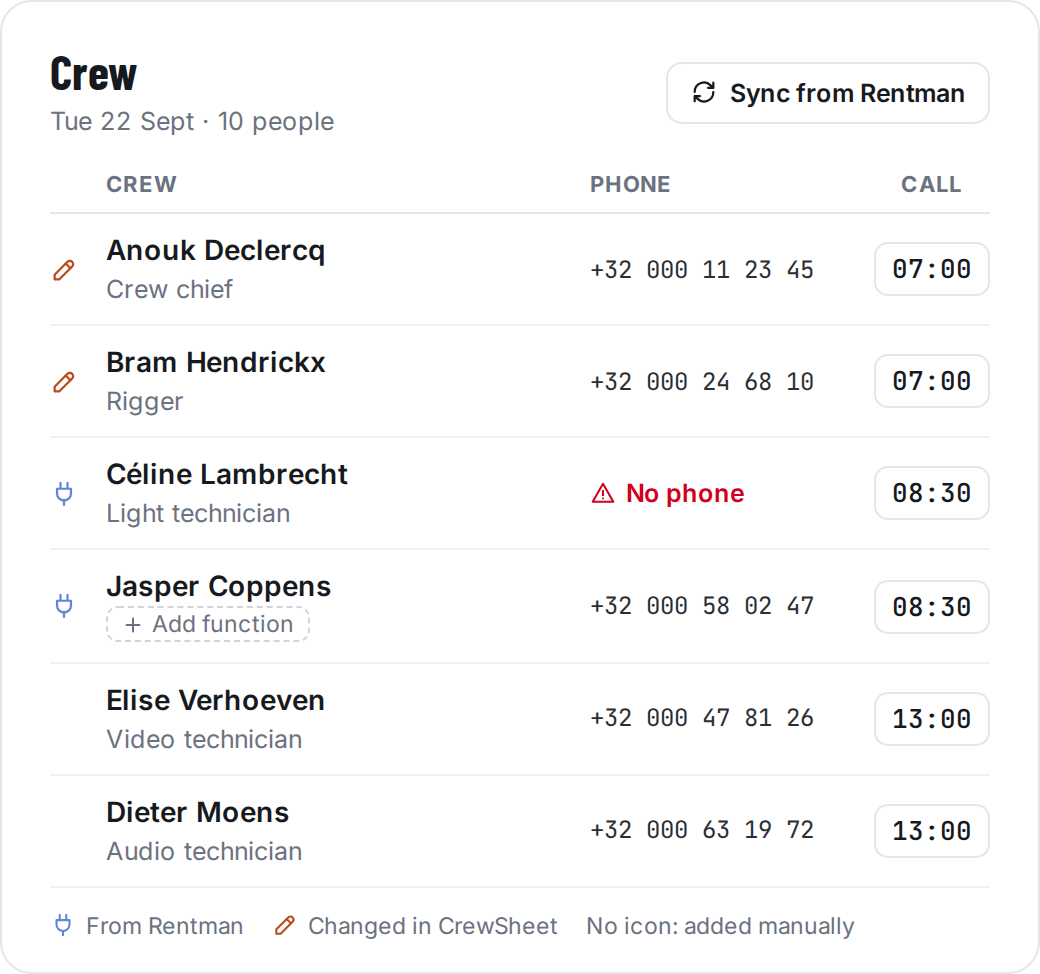
Not everyone needs to be there at crew call. Give each person their own call time, so riggers start early and your operators don't stand around for three hours.
Give everyone a function, so the whole crew knows who’s the crew chief, who rigs and who runs lights
Riggers at 07:00, video at 13:00: each person gets the call time and location that fits their job
Spot a missing phone number before the callsheet goes out, not when you’re trying to reach someone
Pull in the crew planning from Rentman
Producer Plan
Business Plan
Nobody gets lost on the way in
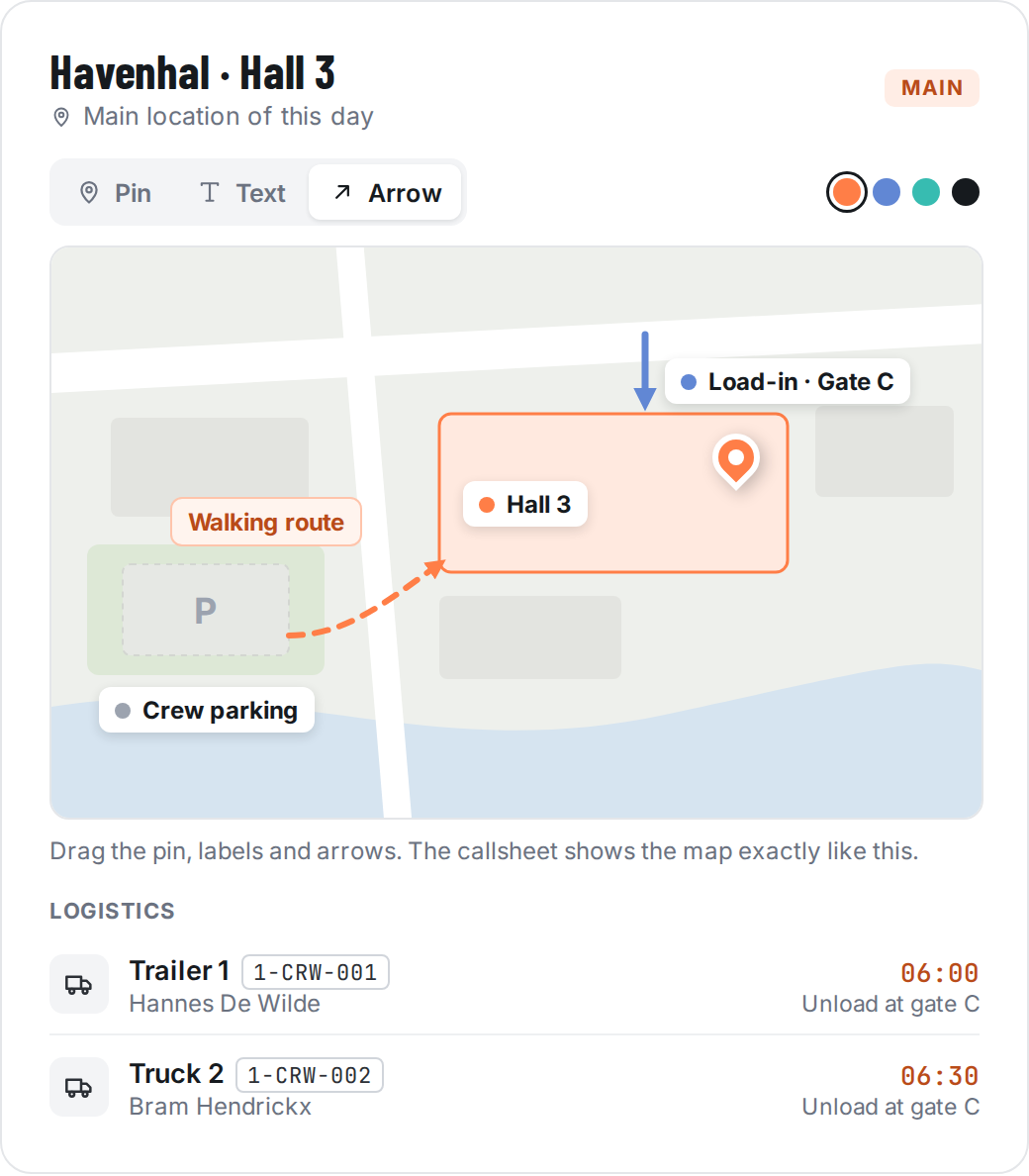
Mark exactly where to load in, where to park and where the stage is. Every callsheet links straight to Google Maps, so the crew arrives at the right gate.
Map editor for load-in, parking and entrances
Direct Google Maps link on the callsheet
Vehicles with plate, driver and departure time
A callsheet your crew actually reads
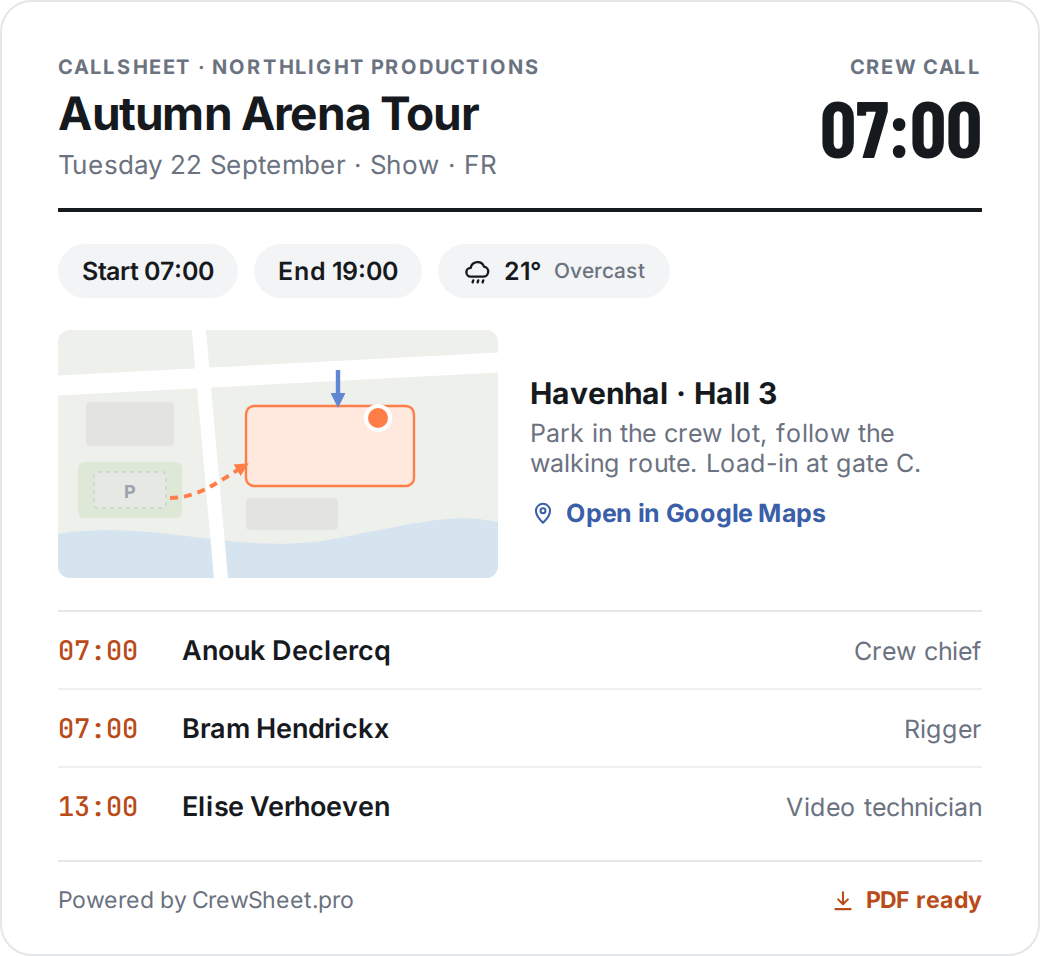
Everything you've planned for the day ends up on one clear page: times, location, schedule and who does what. No more long emails your crew scrolls past.
Built automatically from the day: nothing to copy or retype
The map with your arrows and labels, so everyone finds the right gate
Weather and sunrise for outdoor jobs, right at the top
A clean PDF with your own logo, ready to print or send
Producer Plan
Business Plan
No more copying last week's email
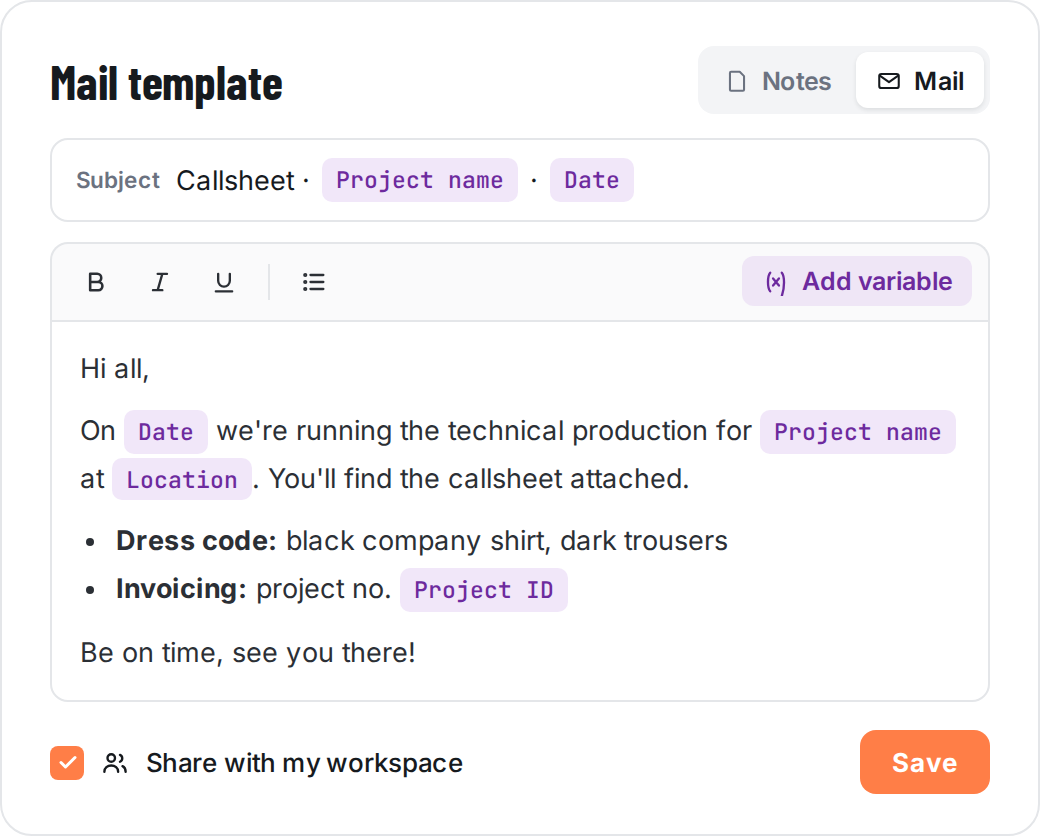
Write your crew email once: the greeting, the dress code, the invoicing details. Every time you send a callsheet, the template fills in the right project, date and location. You never mail out last week’s details again.
Subject and text filled in automatically with the details of the day
Your own house style, with bold text, lists and your standard info
Keep a template for yourself, or share it with your workspace
Business Plan
Save your standard callsheet notes as templates too
Business Plan
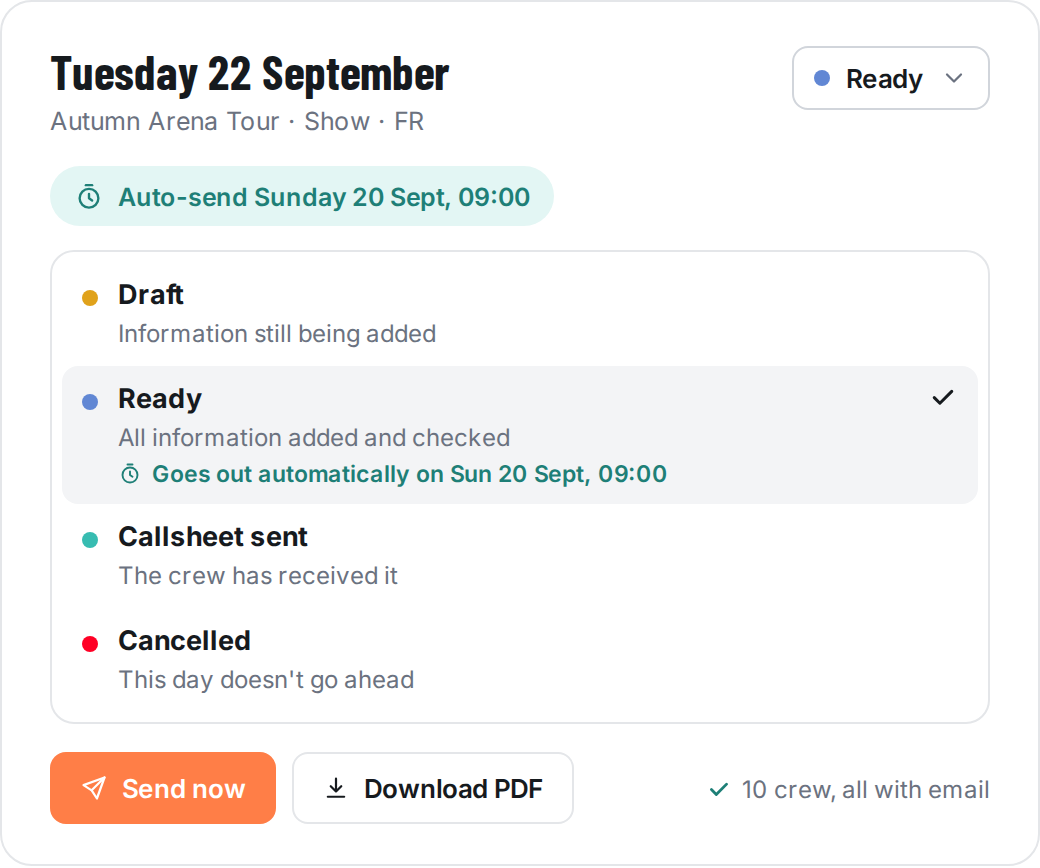
Mark it Ready. It goes out on its own.
Once the day is complete, set the callsheet to Ready. CrewSheet emails it to the whole crew two days before the production day at 09:00, with your mail template and a link to the callsheet. Rather send it yourself? That’s one click.
Choose your own auto-send moment in the settings
Every day shows whether it’s Draft, Ready, Sent or Cancelled
Send now, or download the PDF to print it
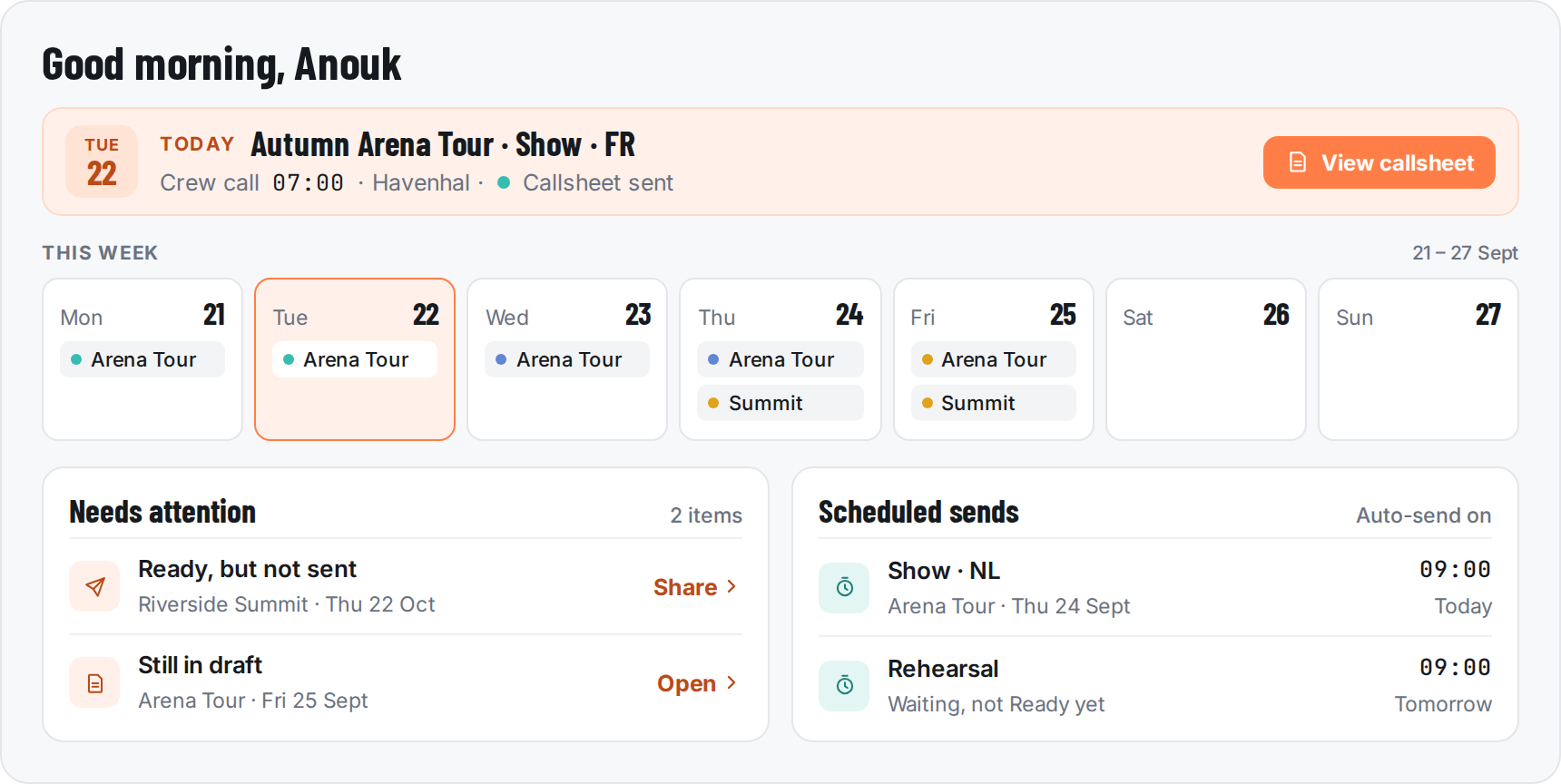
Dashboard
Your production week at a glance
The moment you sign in: today's production day, the week ahead, and what still needs your attention.
Business Plan
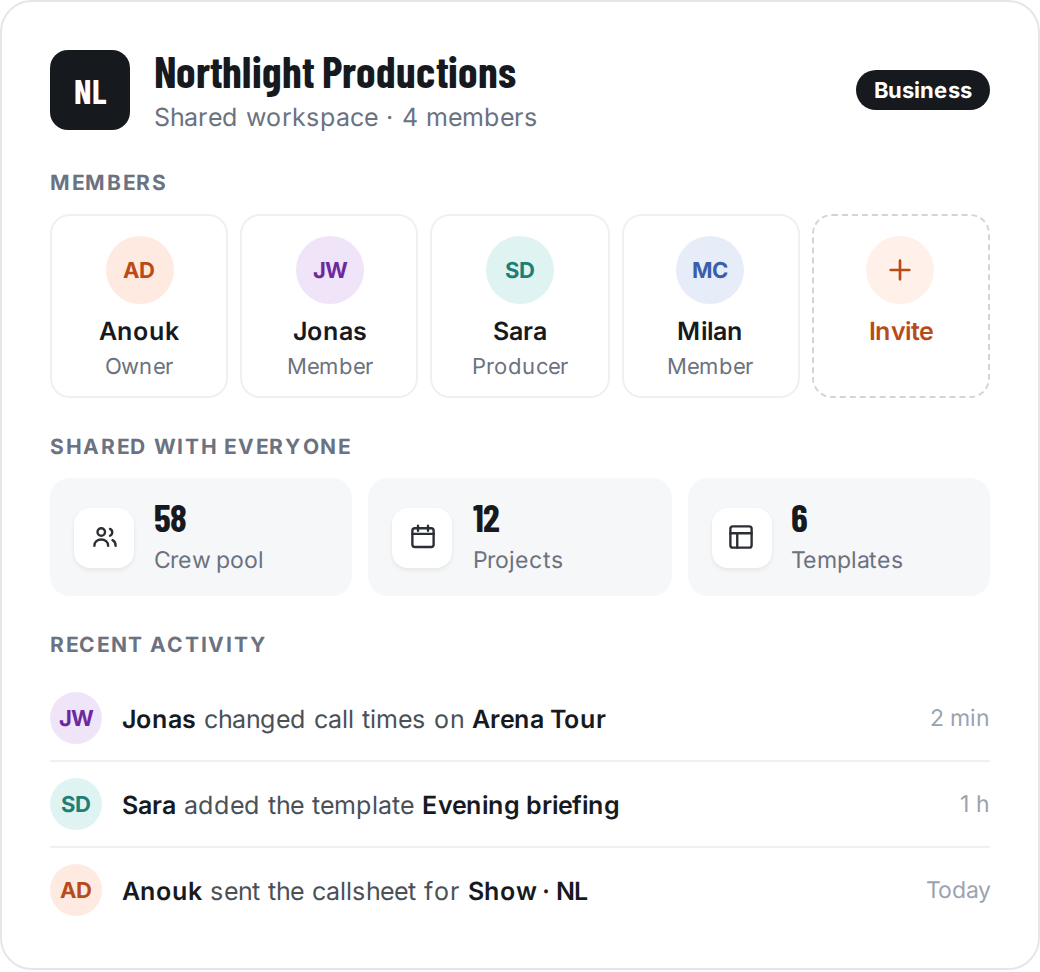
Plan together in one shared workspace
Your whole team plans from the same crew pool, projects and templates. Everyone sees the latest changes, so nobody works from an outdated callsheet.
One crew pool and one set of templates for the whole company
Add freelancers as regular seats, paid by your company
Keep a project private until you're ready to share it
Producer Plan
Business Plan
Security
Your crew's details, kept safe
Callsheets carry phone numbers, addresses and schedules. We treat that data the way you'd expect from a European company.