
Until now, every new CrewSheet.Pro account started on Free, and you upgraded later in Settings. Now you choose your plan while you create your account, so you can start building callsheets on the right plan from day one.
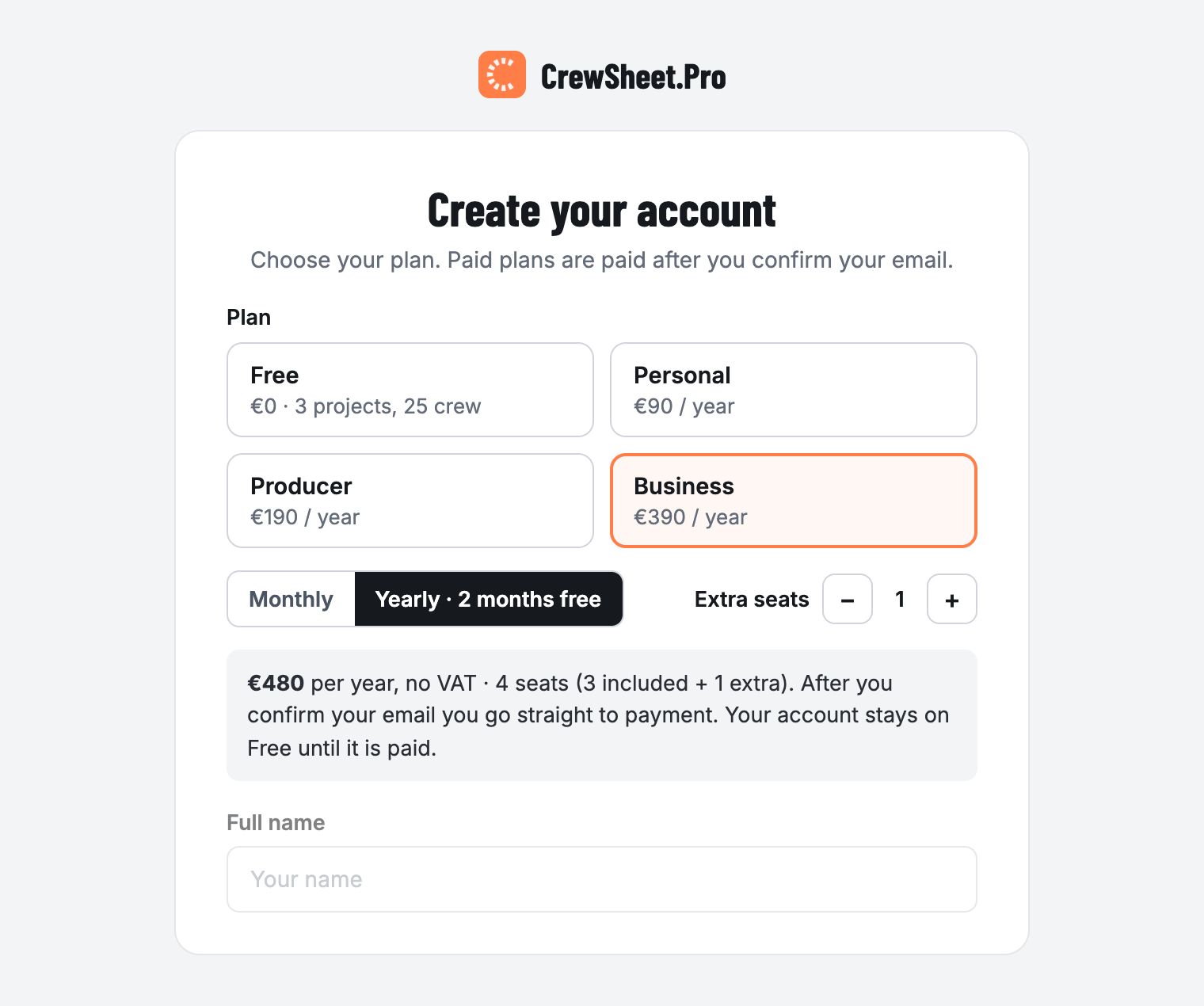
How to choose your plan
- Create your account and pick a plan: Free, Personal, Producer or Business.
- Choose monthly or yearly billing. Yearly gives you 2 months free.
- On Business, add extra seats right away. You see the total before you continue.
- Confirm your email address. The secure Stripe payment screen opens when you first sign in, and your plan starts as soon as the payment has gone through.
Changed your mind? Close the payment screen and your account stays on Free. You can upgrade any time in Settings › Subscription.
Coming from our website
Clicked “Choose Producer” or “Choose Business” on crewsheet.pro? That plan is already selected on the sign-up form, so you only need to fill in your details.