
An event rarely happens in one place. Load out the truck at Gate A, build day in the hall, show day on a second stage. CrewSheet.Pro now sets callsheet locations per production day, and shows your crew where each vehicle is headed.
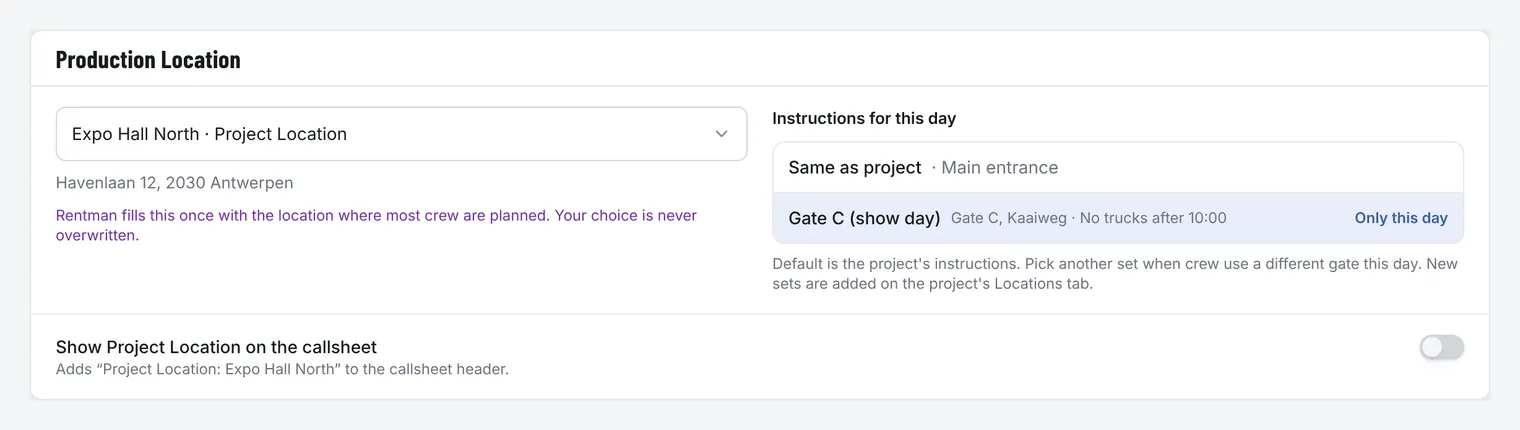
Callsheet locations for every production day
Every project has one Project Location. Each production day can now have its own Production Location, picked from the project’s locations.
- The callsheet opens with the day’s Production Location, followed by the extra locations you ticked for that day.
- Copy to production days adds a location to several days at once.
- Turn on Show Project Location and the callsheet header always shows it too.
Instructions per venue, or for one day only
A venue can hold more than one set of instructions for parking, load-in or access. Each day uses the project’s set by default. Pick another set for the day that needs different directions, and only that day’s callsheet changes.
Rentman locations, without losing your edits
Locations from Rentman are added to your venue list automatically, ready to use as callsheet locations. Change a name or address by hand, and Rentman won’t overwrite it. When Rentman later has a different value, you choose: Keep my change or Use Rentman. A Production Location you picked yourself is never replaced by Rentman.
Vehicles and their routes
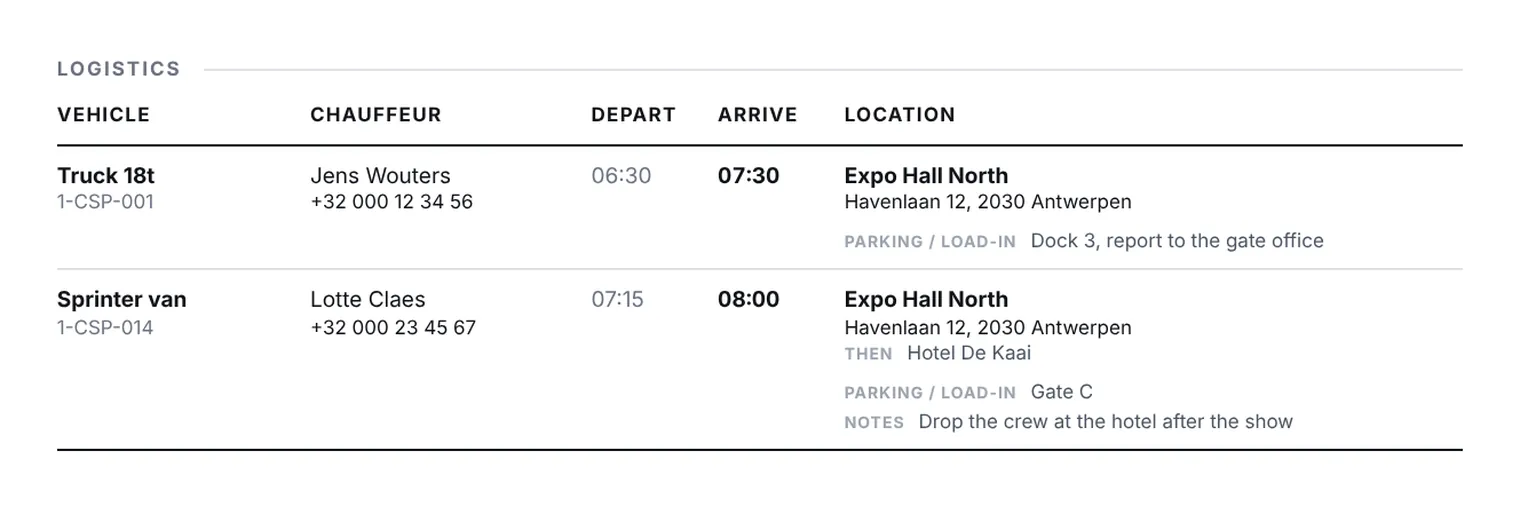
On the Logistics tab of a production day, you can now link each vehicle to one or more locations. The order you tick them in is the route, for example Warehouse → Hall 2.
- The callsheet shows one row per vehicle: plate, chauffeur with a tap-to-call number, departure and arrival time, and the first location with an address that opens in Google Maps.
- Parking and load-in notes sit right under the vehicle, so the Logistics tab no longer scrolls sideways.
- Vehicles booked in Rentman now arrive on your production days along with the crew.
Callsheet locations and vehicle routes are available on every plan, Free included. Importing them from Rentman is part of the Producer and Business plans. See how the Rentman integration works or compare the plans.